


Emails have long reigned supreme in the marketing game, and their effectiveness isn’t fading anytime soon. Over four billion users own an email account in 2021, which makes it a fantastic tool for businesses to connect with their customers in mass. They aren’t obliged to pay anything upfront for receiving emails, and endless personalization options allow you to build the relationship between you and your customers.
And it all starts with sending that first email and then following up regularly until that relationship is built. The process may get complex though. Crafting the perfect email is useless if your email providers aren’t able to pass it through. This takes us to the important concept of email deliverability.
The latter is the final result that matters. So, let us get a bit deeper into it. What affects email deliverability, and how can you increase it?

Email deliverability explained
Email deliverability is a metric that reflects the number of emails that successfully landed in your recipients’ inboxes. It is affected by a series of factors (such as clicks, bounces, and spam reports) that you can tweak to improve it.
When an email reaches the receiving server, doesn’t this mean it arrived in your customer’s inbox? Actually, no. Those emails might bounce, get blocked along the way, or end up in spam. This is why email deliverability is a crucial metric to measure your campaign’s success.
This metric changes based on the type of emails you send. For instance, promotional emails result in lower deliverability compared to transactional or operational emails because they contain phrases that might trigger the spam filter.
For a clear picture of what might go wrong along the delivery process, let’s see the steps your email goes through before reaching customers’ inboxes:
- You’ve written and designed your email, adding graphics, content, a catchy subject line, and then targeted email addresses.
- You schedule the email to be sent at a specific time or immediately. Then, your email passes through an unseen process.
- The ESP (Email Service Provider) scans the email with its spam filters. If it passes successfully, then it starts traveling towards the customers’ inbox servers.
- After receiving the email, the recipient’s server takes it through its spam filters and checks whether the IP is whitelisted. If so, then your email finally shows in your recipient’s inbox.
What happens in steps three and four is not noticeable for the regular email sender. However, marketers interested in improving their email deliverability rates should know these numbers. Also, to achieve good deliverability, there exist a few specific tools.
Tools for checking email deliverability
One way to measure email deliverability is by taking into account the open rate, but this isn’t accurate all the time. The receivers could be using tools such as PixelBlock or Privacy Badger that impede email tracking, not letting you count all the emails that landed successfully in their inboxes.
So, the ideal way to check email deliverability is by using custom-built tools. These can be installed as separate apps or come together with the marketing software you’re using:
- MXToolbox
- SendForensics
- ISNotSPAM
- Mail Tester
- Email on Acid
- Mailtrap
- Spamcheck
- Sender Score
Each tool has its own specifications and caters to different email marketing campaigns. Mainly, they provide you with an email address where you can send the prepared email and then calculate a score based on various metrics.
What if your deliverability score is high already?
Congrats! This means that your content and targeting are at their optimal level and your efforts have been worth it. However, there’s always more to be achieved. At this stage, you should return to your inbox and analyze which emails have had a high deliverability score.
From there, you may take elements regarding content or design that you think impacted this score and start A/B testing to maximize the deliverability of your campaigns. What factors affect this metric? Let’s dive into what affects deliverability in more detail.
What affects deliverability?
Low deliverability shows that it’s time for a revision of your email marketing strategy. Therefore, consider the following major factors:
- Reputation as a sender. Emails you’ve sent so far have appointed a certain score to your reputation as a sender. If you’ve emailed to non-existent recipients or have received numerous reports, you could be labeled with a low score. Otherwise, you’ll have a high reputation.
- The email body and subject line. If you want to score a high rate, stay away from keywords that are deceiving and trigger spam.
- The technical aspect. Use a whitelisted IP address and sign emails with a credible email signature.
Also, pay attention to the mass email services you’re using. They might affect your deliverability rate even though in most cases they come with helpful monitoring tools to measure this metric and others.
Six Tips to Increase Email Deliverability
Now that you know what affects email deliverability, it’s time to think of how you can improve the likelihood of these emails reaching customers’ inboxes. Actually, here are six of them:
1. Optimize and enhance the email content
Email providers are equipped with filters that process each word with suspicion. For your emails to pass those filters, their content should comply with the standards. So, what are some of these factors to be kept in mind when writing emails?
- Spam triggers. Find lists of spammy words to be avoided online and double-check your emails. Mainly, words that sound aggressive, pushy, shady, and make far-fetched promises are triggered as spammy. Think here: “Buy Direct,” “Offer Expires,” or “Urgent.”
- Professional writing. Write error-free content that develops ideas clearly and is grammatically correct. Avoid confusing and hard-to-read fonts and add exclamation marks everywhere. These elements show a sense of unprofessionalism. Also, the use of red fonts shows forced urgency, so it’s best to be avoided. Whether you’re sending a transactional email or writing a pitch for a blog post, these elements impact the success of your email.
- HTML tags. Leaving unclosed tags in your code, putting incomplete addresses and phone numbers, and adding clumsy pieces of code risks moving emails to spam.
- Mobile interfaces. Large images and an overload of text make emails difficult to access through mobile devices. This inappropriate formatting negatively affects the content of an email and consequently its deliverability rate.

Comply with the CAN-SPAM Act
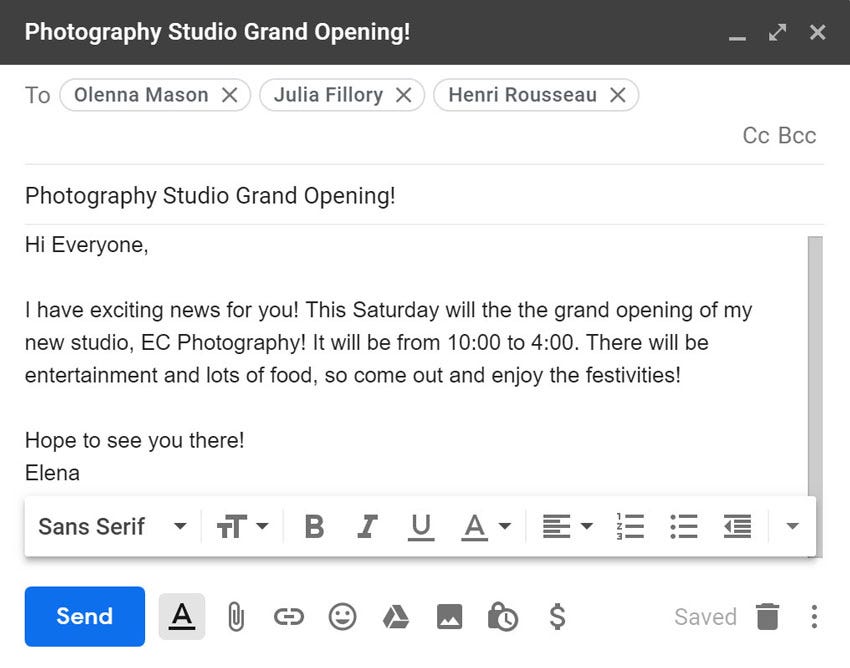
Another indicator that shows whether your email content follows the standards is the Controlling the Assault of Non-Solicited Pornography And Marketing (CAN-SPAM) Act. Regardless of being a US law, it still has guidelines that help you safely create emails that don’t risk hitting spam, even if you’re outside the US. Here are some points extracted from this law:
- False or misleading content is not allowed.
- Promotional emails should be easily noticeable as ads.
- Your company’s location should be made known to the reader.
- Adding an unsubscribe/opt-out link in each email is mandatory.
- Opting out should be done instantly by an automatic mechanism.
- Keep track of partner emails because you may be responsible for emails sent on your behalf.
2. Use a domain to send emails
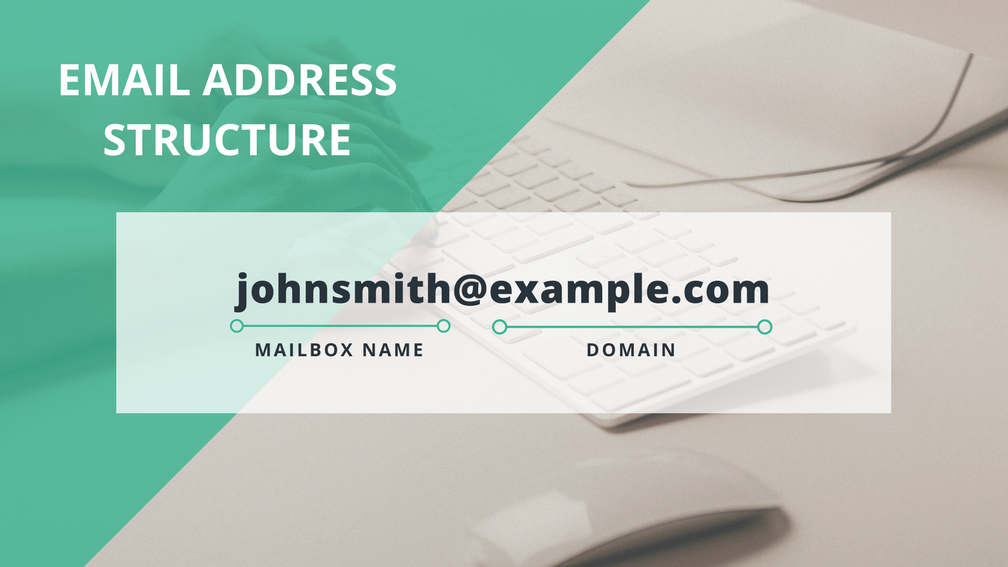
Sending bulk emails from a regular email address (name.surname@emailprovider.com) triggers spam filters and prevents emails from reaching the customers’ inboxes.
This approach works for sending emails to a small group of people, but when you send bulk emails, you’re flagged as suspicious. An individual emailing hundreds of people from a free email account resembles a scammer or bot.
If you’re a business owner, chances are that you already have a website and as a result a domain. Sending emails from a domain shows trustworthiness, and it improves deliverability. Getting a custom email address starts from as little as $6 if you’re using the Gmail desktop app.
Then, the name that will show under “from” is easily customizable, but it’s suggested that you put something self-explanatory that aligns with the purpose of your emails. For transactional emails, you might want to use noreply@, but this isn’t suggested for promotional and other types of emails you expect a response from. Instead, use a phrase such as info@, marketing@, newsletters@, [businessownername]@, etc.

3. Select between a shared or a dedicated IP
IP addresses match the location of your domain, and two types of IPs are suggested for cases when you want to send bulk emails:
- Shared IP. You are using a shared IP if its web server hosts more than one domain. So, the reputation of your domain depends on the quality of all domains hosted on this IP. Therefore, conduct proper research before selecting a hosting server.
- Dedicated IP. Having a dedicated IP means that only your email is hosted on that IP address. It’s a reliable option to choose if you plan on sending bulk emails since its reputation depends solely on your activity.
4. Use email authentication protocols
Scammers find different ways to disguise themselves, and one of them is by pretending to email as a reputable brand. Email filters and users can easily recognize these attempts, but for maximum security, you can authenticate your emails by using DMARC, DKIM or SPF protocols.
- DKIM (Domain Keys Identified Mail). This protocol assigns specific keys to your domain so that it becomes easy to identify whether an email was sent from your domain.
- SPF (Sender Policy Framework). The protocol identifies the sender and prevents phishing and other scamming attempts.


Applying these protocols not only protects your reputation as a sender but also helps in tracking emails that reach your targeted customers’ inboxes.
5. Optimize your mailing list
Inactive subscribers affect your deliverability rate negatively. Sending emails to accounts that aren’t active anymore makes emails bounce back and trigger you as a spammer. The same thing happens if you send emails to badly targeted users who delete or report them.
Most email list management tools offer options to verify emails and identify non-existent accounts. Besides these, we have two other pieces of advice to keep in mind when cleaning your list.
- Remove unengaged accounts. It’s pretty straightforward: users who don’t open your emails, or accounts that are inactive and cause emails to bounce back, should be removed for a cleaner list.
- Double-validate new subscribers. Sometimes users might opt into your list by mistake or without fully understanding what you offer. Sending them a second email to explain what they signed up for and confirm their subscription filters only serious subscribers.


After filtering subscribers, don’t forget to use email segmentation to create different personas for more accurate targeting during your campaigns. Also, seeing how crucial it is to qualify each subscriber, you may want to avoid purchasing email lists. It’s hard to find lists that match your ideal avatars.
6. Monitor your metrics
Metrics show statistically where your email deliverability stands. Monitoring them regularly helps you be prepared for an unexpected drop during your campaigns or even a positive surge. In both cases, keep notes on what works best and what must be improved.
These are three of the most important metrics to keep an eye on when checking delivery reports:
- Bounce rate. This shows the percentage of emails that don’t reach your subscribers’ inboxes. The lower this metric, the better.
- Click-through rate. This shows how effective your emails were at getting people to click your CTAs and purchase through those links.
- Open rate. High numbers mean you’re doing everything right and your subscribers are opening emails. Keep notes on this.

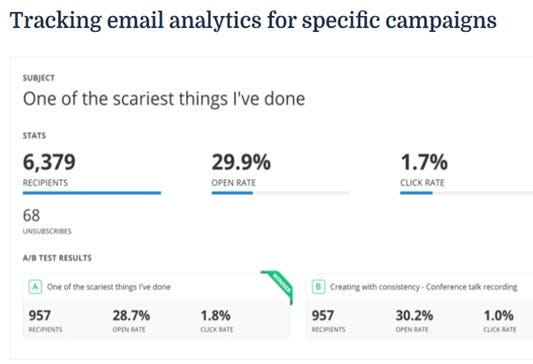
Automation tools come with several features to track the behavior of customers when consuming your content and provide additional metrics for your campaigns. Use this data to reduce the possibility of having your emails end up in the spam folder.
Final thoughts: start taking action
Email deliverability remains one of the most important issues when it comes to creating effective pieces of content that drive sales. We hope this article will shed light on the steps you should take to refine the process. Three of the key takeaways we’d want you to leave with include:
- Ruthlessly clean your list. Remove inactive subscribers. Don’t keep them just for the numbers’ sake.
- Authenticate your email. Let your subscribers and their spam filters know where the emails are coming from.
- Avoid being spammy. Scrutinize your content for any elements that might trigger spam filters.